Michael Hooker Microscopy Facility (MHMF.ORG)

|
|
Michael Hooker Microscopy Facility (MHMF.ORG) |
|
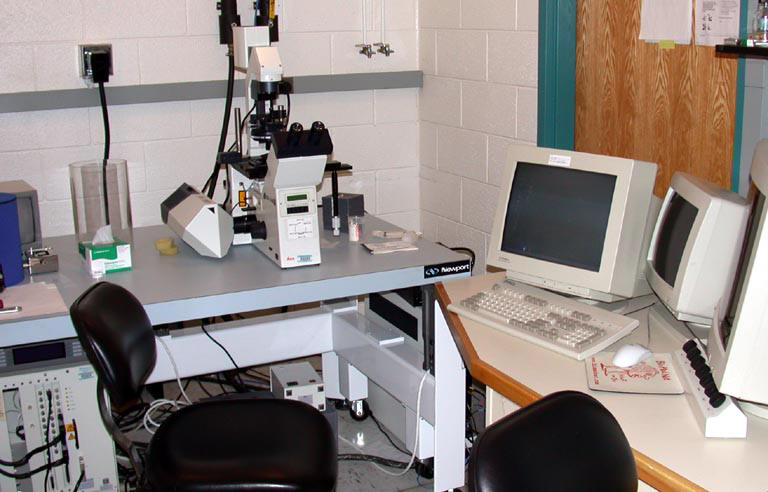
LeicaTCS 4D Laser Scanning Confocal Microscope
Location: Decomissioned - Cystic Fibrosis Center users
March 2011 - Please note that the Leica 4D confocal system has been decommissioned. In its place is an Olympus FV1000 multiphoton system. This new system has 405, 440, 488, 514, 559, 635 nm lasers as well as a 690 to 1040 nm pulsed IR laser, incubator box, motorized x-y stage.
Files that were on the old Viceroy computer (up top June 8, 2005)have been copied to: \\Minsky\Leica4D
PC computer swap on the Leica 4D (July 8, 2005)
Reason: The PC computer is now called \\Jansen and replaces the faulty \\Viceroy computer. \\Jansen runs Windows 2000. This replacement has been done in order to provide better image interchange over the regular campus network, as well as a functioning CD-writer and a USB port for Flash drives. It also overcomes the OIS prohibition of Windows NT4 on the School of Medicine network.
Logging on: This computer is on the MHMICROSCOPY domain, so use your MHMICROSCOPY login name and password. Network connection can be made to the CF server or Minsky or etc. shared directories. Connecting to \\CF-2000 and mapping to shared, groups or etc. will bring up a prompt for your CF server username and password, if necessary. Since this computer is on the network please log off when you are finished.
Running Scanware: A Scanware 5.10 icon should be on the desktop. Running this program should be the same as on the old computer, but will not give the standard window layout, and will have a different color scheme. Layout will have to be customized, and, hopefully, can be saved. Alternatively start the terminal as normal and then go to ??? and restore a saved setup. Also setting the task bar to autohide (right click on task bar and press properties to get to autohide check bar) will be helpful.
Transferring Files from the VME-OS/9 machine to the PC: Use the familiar WS_FTP program which is on the desktop. FTP can only transfer to the \\Jansen PC (since the VME-OS/9 machine has a dedicated connection to Jansen only).
Transferring Files from Jansen: 1. The Jansen computer has a regular network connection to the SOM network. Use files shares, eg. to \\Minsky, \\CF-2000, etc. or FTP. 2. CD-writer running ROXIO. 3. USB flash drive. Note that a ZIP drive is not available.
Potential Problems: Since Scanware was designed to run with Windows NT4 and not Windows 2000 it is possible that some incompatibilities may crop up. Please let me know about any, so that they an be addressed. The old computer is being kept so that it can be switched back quickly if necessary.
Notes:
1. It looks like Scanware version 5.01 was being used rather than version 5.10. There may be some differences due to this version discrepancy.2. The power provided to the computer via the appliance plus is 220Vac! Always, always, always ensure that the computer power supply is either switched to 220V or can handle 220V, if you change the computer.
March 2011 - Please note that the Leica 4D confocal system has been decommissioned. In its place is an Olympus FV1000 multiphoton system. This new system has 405, 440, 488, 514, 559, 635 nm lasers as well as a 690 to 1040 nm pulsed IR laser, incubator box, motorized x-y stage.
N.B. The LeicaTCS-4D confocal has approached the end of its serviceable life. Some of the electronic cards and components are no longer available, and the software is not supported.
The Viceroy computer for the 4D is off the network
The Leica4D confocal (Viceroy) is no longer connected to the Medical School Network, and hence the entire internet, including the Cytic_Fibrosis domain. Scanning can still be performed and the 100 MByte Zip drive can be used to transfer data. OIS has discontinued the sub-network that the 4D was assigned to on Feb. 18, 2003 as a final act in a 5 year plan to give the 152.2. subnet back to the main campus, and block that subnet in the Medical School. Unfortunately the 4D OS9-VME computer can not be easily be migrated to the Medical School subnet. Hence the 4D is isolated from the network. Alternative solutions are being investigated, but are limited by the potential fragility of the two unsupported operating systems that are an essential part of the 4D confocal.
1. Introduction
Other Links
LeicaSP2aobs laser scanning confocal microscope
Zeiss510 Meta laser scanning confocal microscope
Olympus FV1000 MPE laser scanning confocal microscope
|
|
 |
Copyright 2001-2015 Dr. M. Chua, School of Medicine, University of North Carolina, Chapel Hill, NC 27599 |
| Go Back | Booking Resources |
Questions/comments/problems: Michael Chua |
|
|
Last Updated: 2014-07-24 |